
Vintyl
Free software for vinyl cutters on Linux. Draw, lay out and cut in one window.
LinuxAppImageFree & open source6 languages
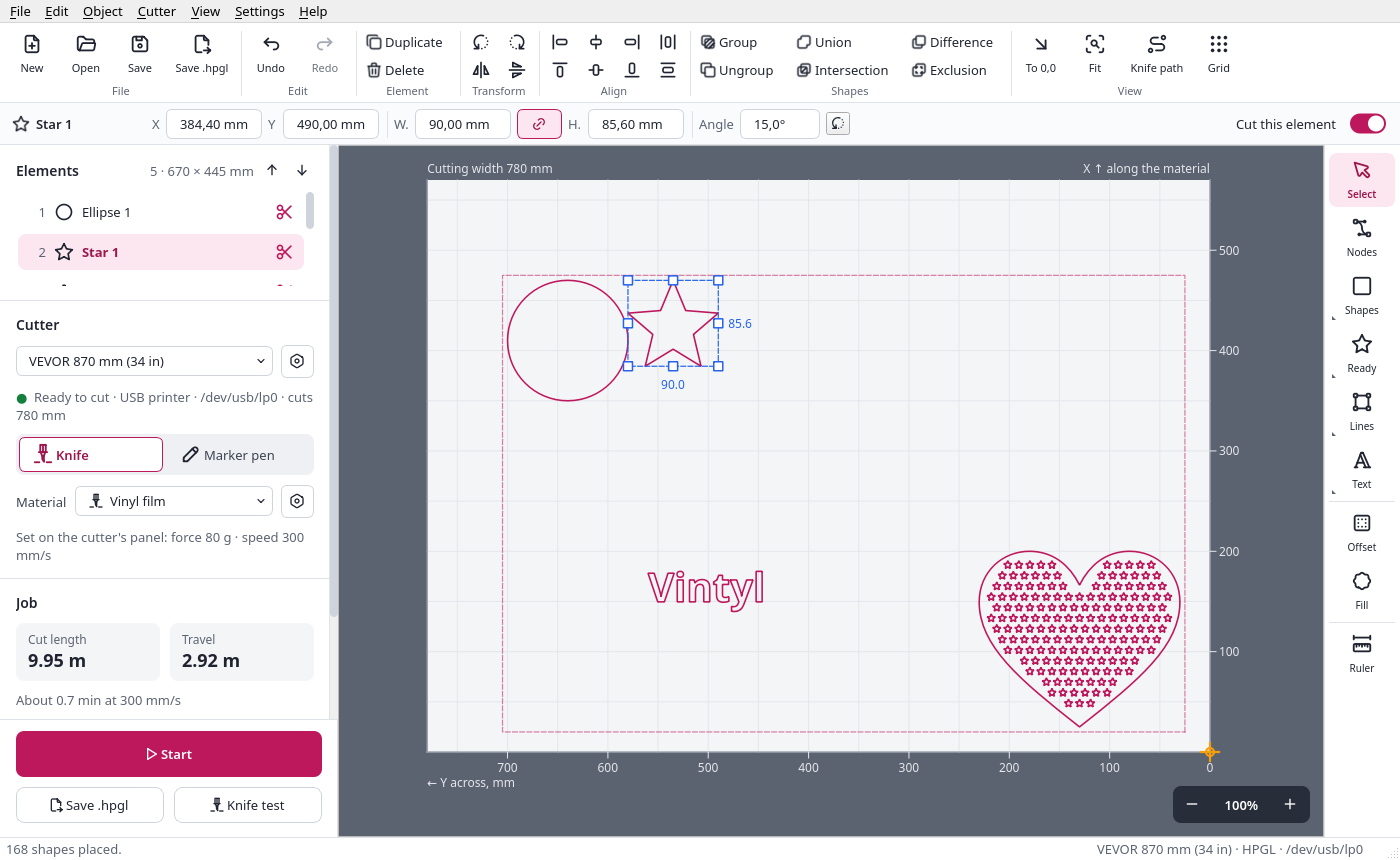
Vintyl runs the popular, inexpensive drag-knife vinyl cutters (VEVOR, Seiki and the many models built on the same control board) that come with Windows-only software such as SignMaster. Draw a design or open a file, see it on the sheet as the material lies in the cutter, check the force and speed, and cut it, straight from the window.
Version 0.9.1, ready for use. Tested and cutting cleanly on the VEVOR KI-375A and the Seiki SK-870T. Small glitches in the interface may still turn up: please report them.
What Vintyl can do
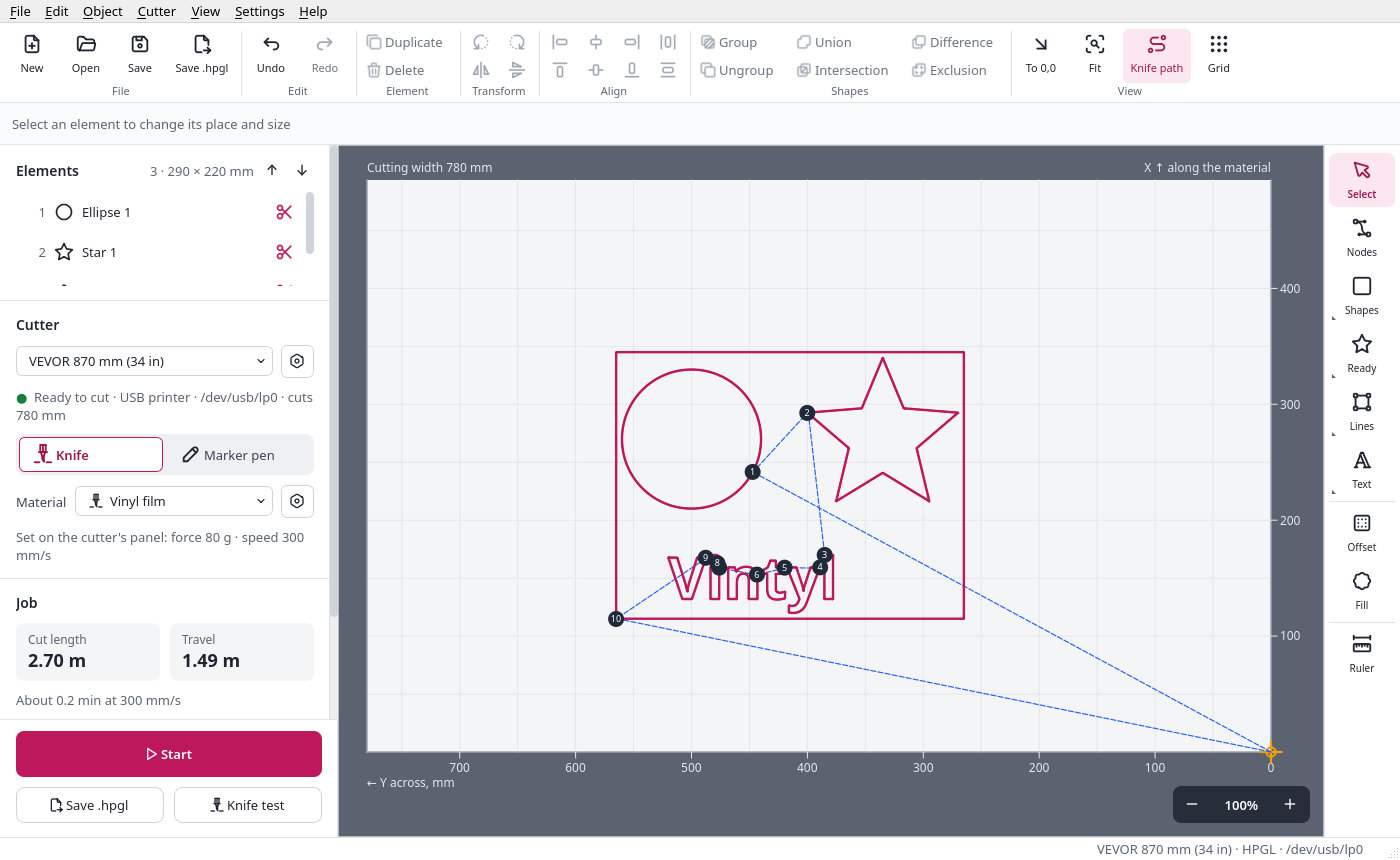
Cut cleanly with a drag knife
- Knife compensation at the corners (smooth curves stay smooth) and an overcut, so every closed shape closes.
- Inside shapes are cut first: nothing comes loose before its holes are cut.
- A weeding frame round the design and weeding lines through the waste.
- The knife path on the sheet, with the order of the cuts and the travels.
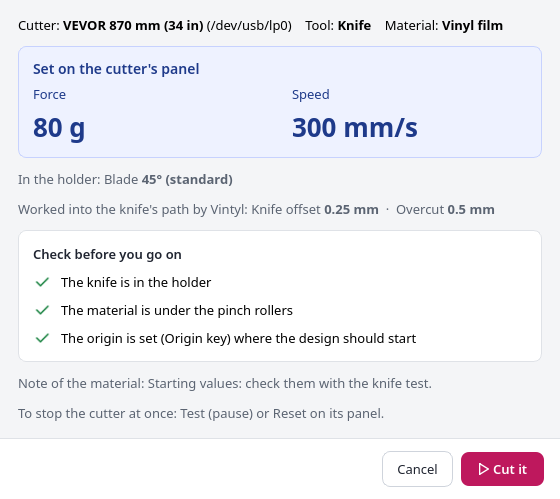
Materials, and a check before every cut
- Vinyl film, heat transfer vinyl, reflective vinyl, paper and card, and your own materials, each with its force and speed for each cutter.
- Before Start, a short check list shows what to set on the cutter's panel, in large type, and what to check.
- A knife test (a square with a triangle) to set the force on a new material.
- Nothing goes to the cutter until you confirm.
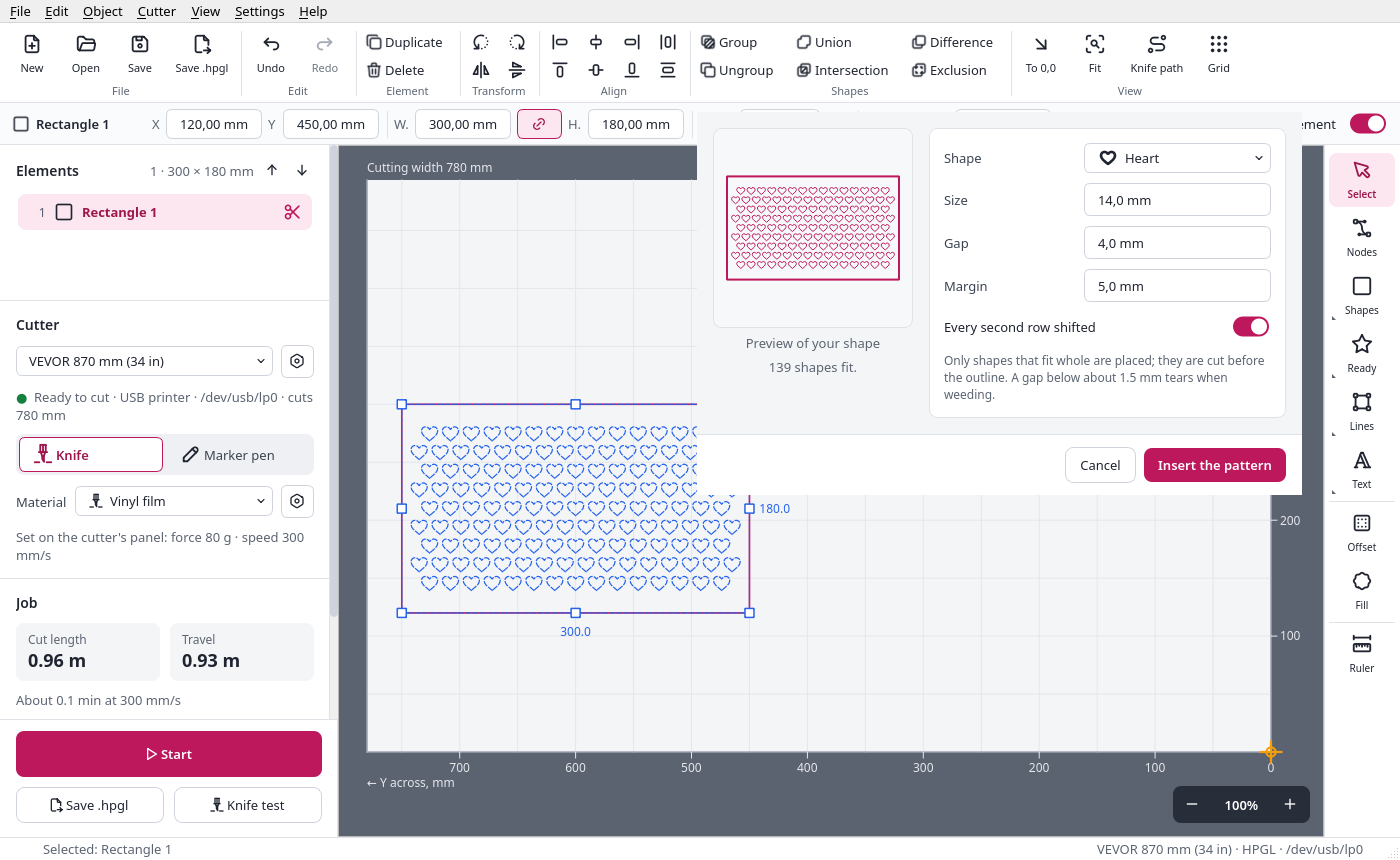
Draw and edit
- Rectangle (with round corners), ellipse, polygon, line, polyline, pen curves, freehand and text in any installed font, also along a path.
- Ready shapes (star, heart, ring, arrow, gear...) and QR codes.
- Union, difference, intersection, exclusion, offset, node editing.
- A pattern of shapes: fill a shape with rows of small stars or hearts, each one whole, with a live preview.
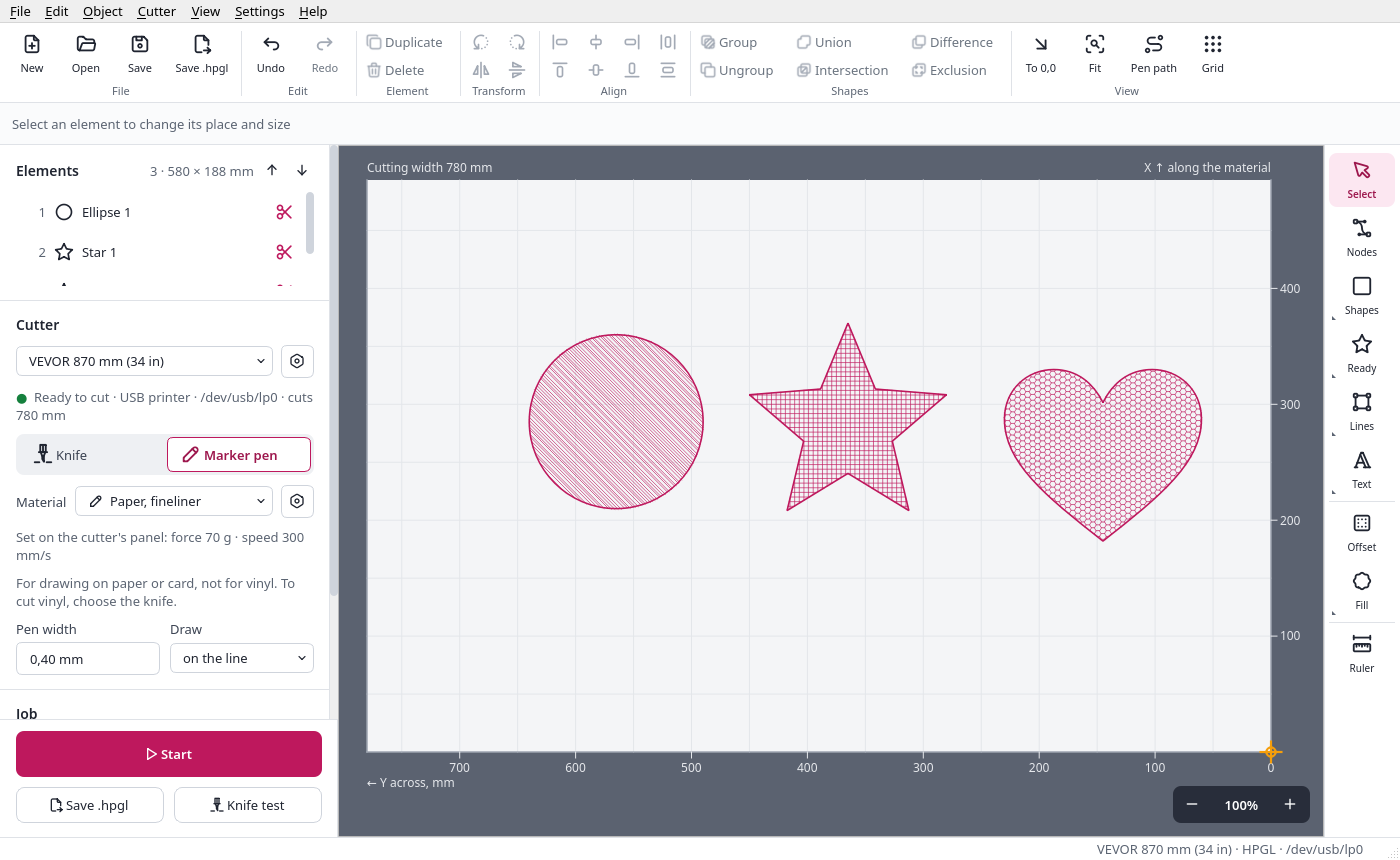
Draw with a pen
- Put a pen in the holder and switch the tool to the marker pen: no knife offset, no overcut.
- The stroke on, outside or inside the line, for the pen's width.
- Nine fill patterns: lines, cross-hatch, waves, zigzag, circles, honeycomb, diamonds, bricks, concentric.
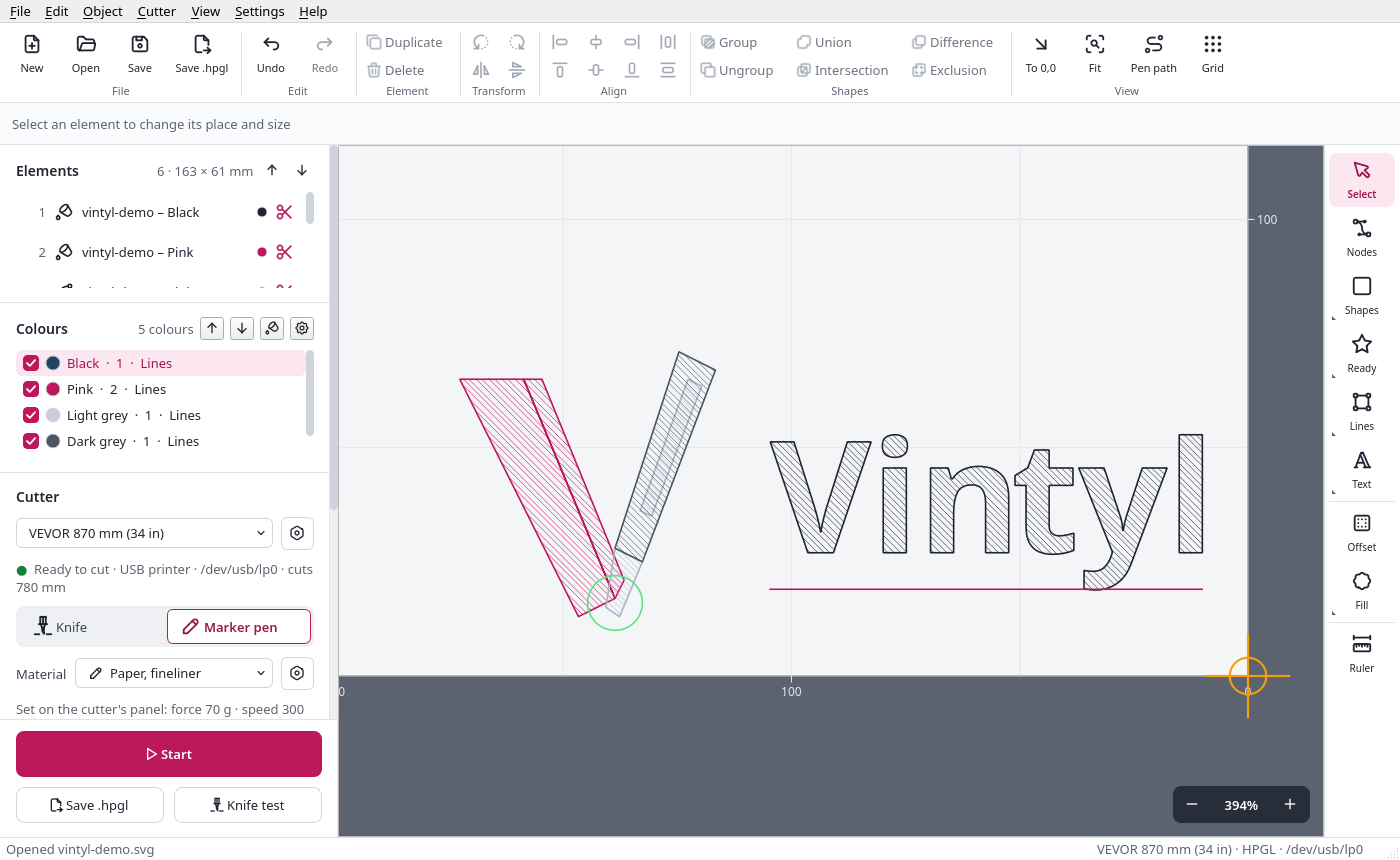
Several colours, one after another
- An SVG of several colours opens in its colours; similar ones are merged, so one pen draws them. You see and change what goes where.
- The Colours panel: the order they are drawn in, a colour left out, its own pen width and fill pattern. An outline and its fill can be two pens: a black outline, a pink fill.
- Start goes colour after colour, with a pause to put in the next pen, or the next colour of vinyl; the origin stays, so the colours land on each other.
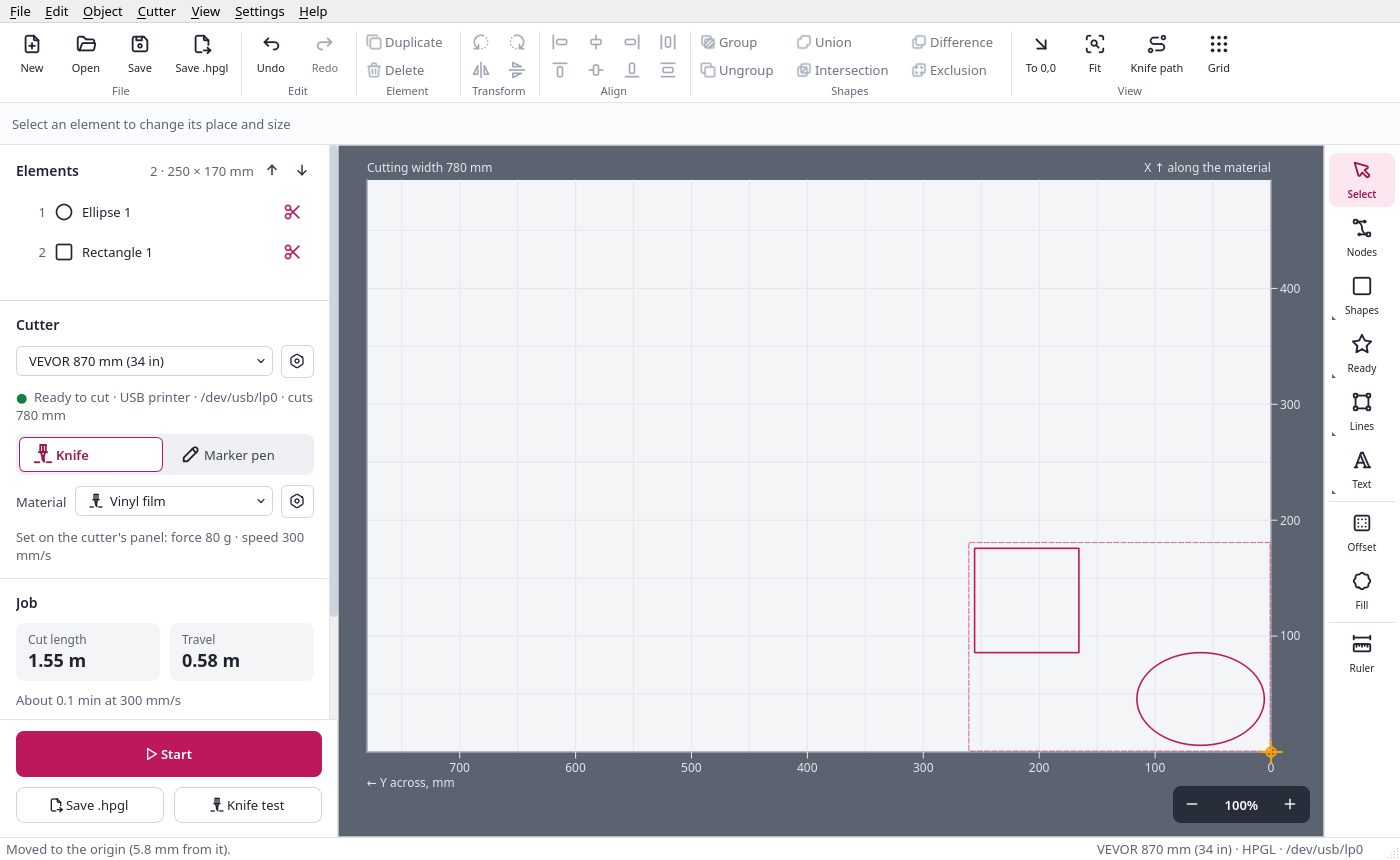
Lay it out, waste no vinyl
- Move, resize with handles, rotate by any angle, mirror, align, distribute, group.
- To 0,0 moves the selection, or the whole design, up to the origin, with room for the frame and the knife.
- Copies in rows and columns, and strips for designs wider than the cutter.
- Open SVG and DXF files; save projects; undo everything.
Cutters
| Cutter | Connects as | Status |
|---|---|---|
| VEVOR KI-375A (cuts 285 mm) | USB printer, HPGL | tested: cuts cleanly |
| Seiki SK-870T (cuts 780 mm, system 6.8H) | USB printer, HPGL | tested: cuts cleanly |
| VEVOR 870 mm (cuts 780 mm) | USB printer, HPGL | profile ready (the same board as the two above) |
| other VEVOR, Seiki and similar clones with the same board | USB printer, HPGL | “VEVOR / Seiki, other model”: set its cutting width; it should work the same |
| other HPGL or DMPL drag-knife cutters | USB printer or serial port | add a profile of your own |
Vintyl has so far been used with these cutters in their USB printer mode. Their second mode, Virtual COM (a serial port, another driver), is prepared in the profiles (port, baud rate, flow control) but has not been tried on a cutter yet. Force and speed are set on the cutter’s panel: these cutters take them from there; Vintyl shows the material’s values before Start.
Download
Linux AppImage
One file with everything inside, for most Linux systems of the last years (64-bit).
Make it executable and start it; Vintyl offers to add itself to the applications menu. See Installation.
From the source
Python 3.12 or newer and Qt 6 (PySide6).
Questions
Does it send force and speed to the cutter?
Not to these cutters: they take force and speed only from their own panel. Vintyl shows the material's values in large type before every cut, so you can set them there. The knife offset and the overcut are worked into the knife's path by Vintyl; nothing has to be set for them on the cutter.
"No permission to use /dev/usb/lp0"?
On Linux only the members of the device's group may send to it: join the group lp once (sudo usermod -aG lp $USER) and log in again. Help → Access to the cutter shows the commands to copy.
My cutter is not on the list.
If it is a VEVOR, Seiki or a similar clone with the same board, choose "VEVOR / Seiki, other model" and set its cutting width. Then please tell us how it went: Help → Diagnostic report → Report my cutter.