
Millwise
Free CAM for 3-axis CNC routers and mills. From a drawing, a 3D model or a photo to G-code in one window.
LinuxFree & open sourceGRBL · FluidNC · LinuxCNC2D and 3D machiningEnglish · Polski
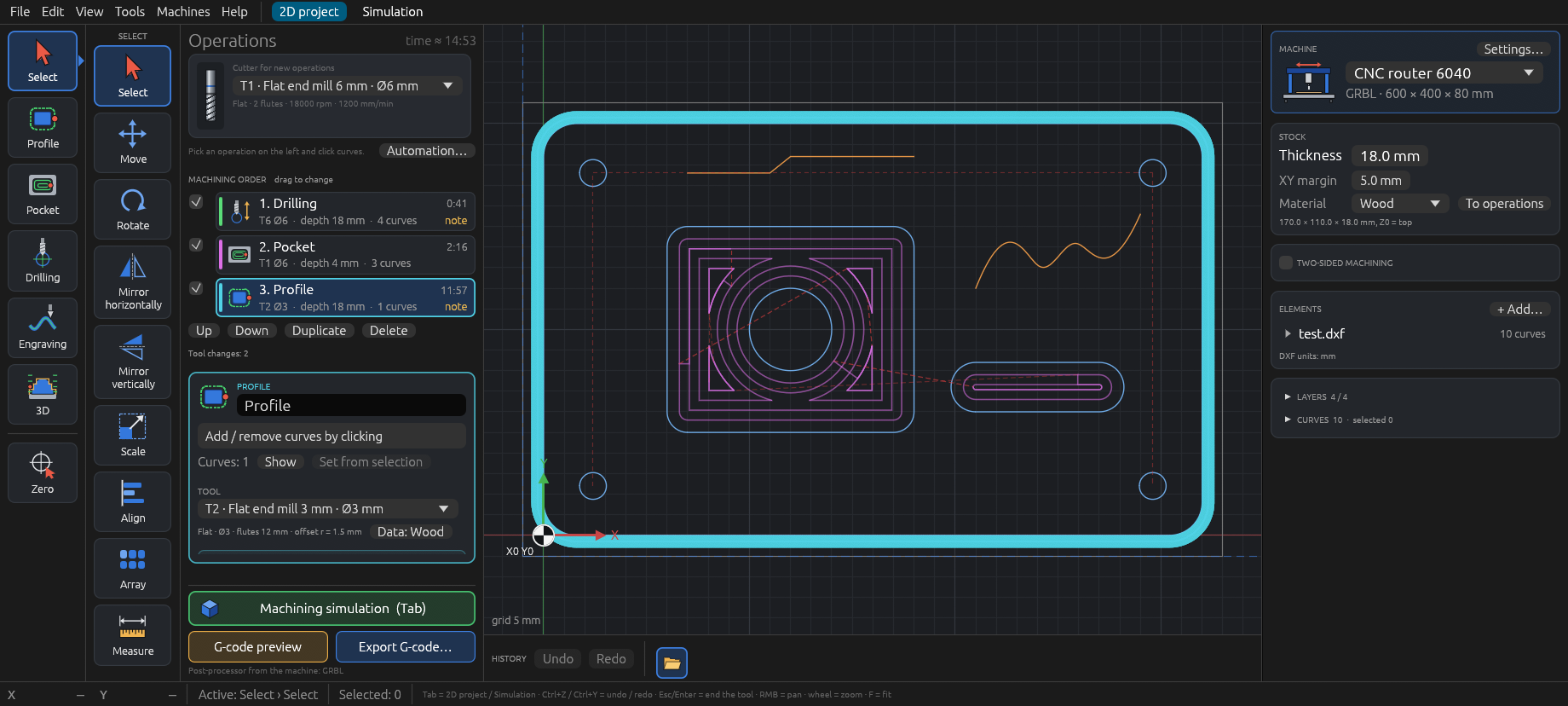
Millwise turns DXF drawings, STL models and photos into toolpaths and writes G-code for GRBL / FluidNC and LinuxCNC. Pick a tool and an operation, click the curves, watch the whole job in the simulation and export the program: profiles, pockets, holes, engraving and V-carving in 2D, and roughing and finishing of 3D models, reliefs from photos and raised shapes from your curves.
What Millwise can do
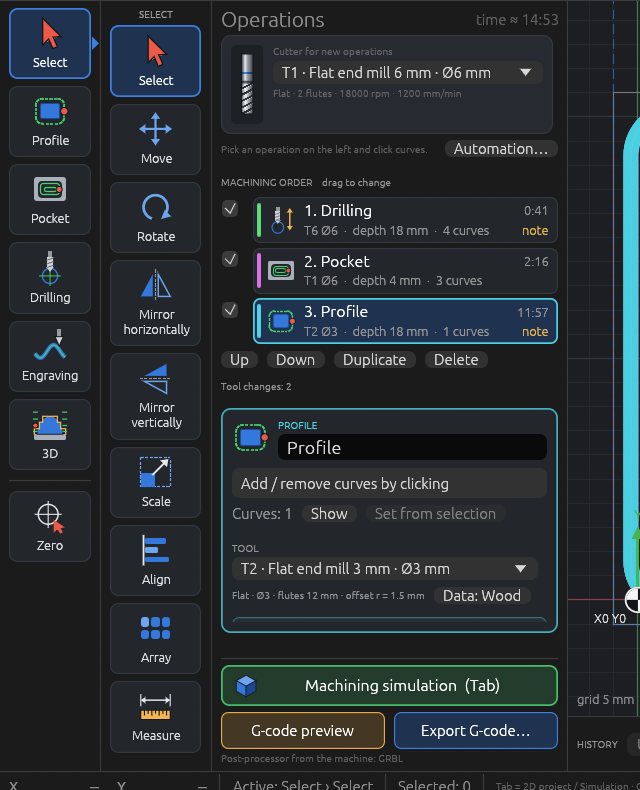
2D machining from DXF drawings
- Profile outside, inside or on the line, with tabs, a ramp or arc lead-in, stock to leave and a finishing pass with its own feed.
- Pocket offset, zigzag or adaptive (HSM: small even step-over, rounded loops), with islands and a finishing pass.
- Drilling single, peck or helical hole milling; engraving on, left or right of the line; V-carving with the depth following the width of the shape.
- Corners (dog-bones) so square parts fit, text from any font turned into curves.
- Drag operations to change the order; one click puts operations with the same tool together.
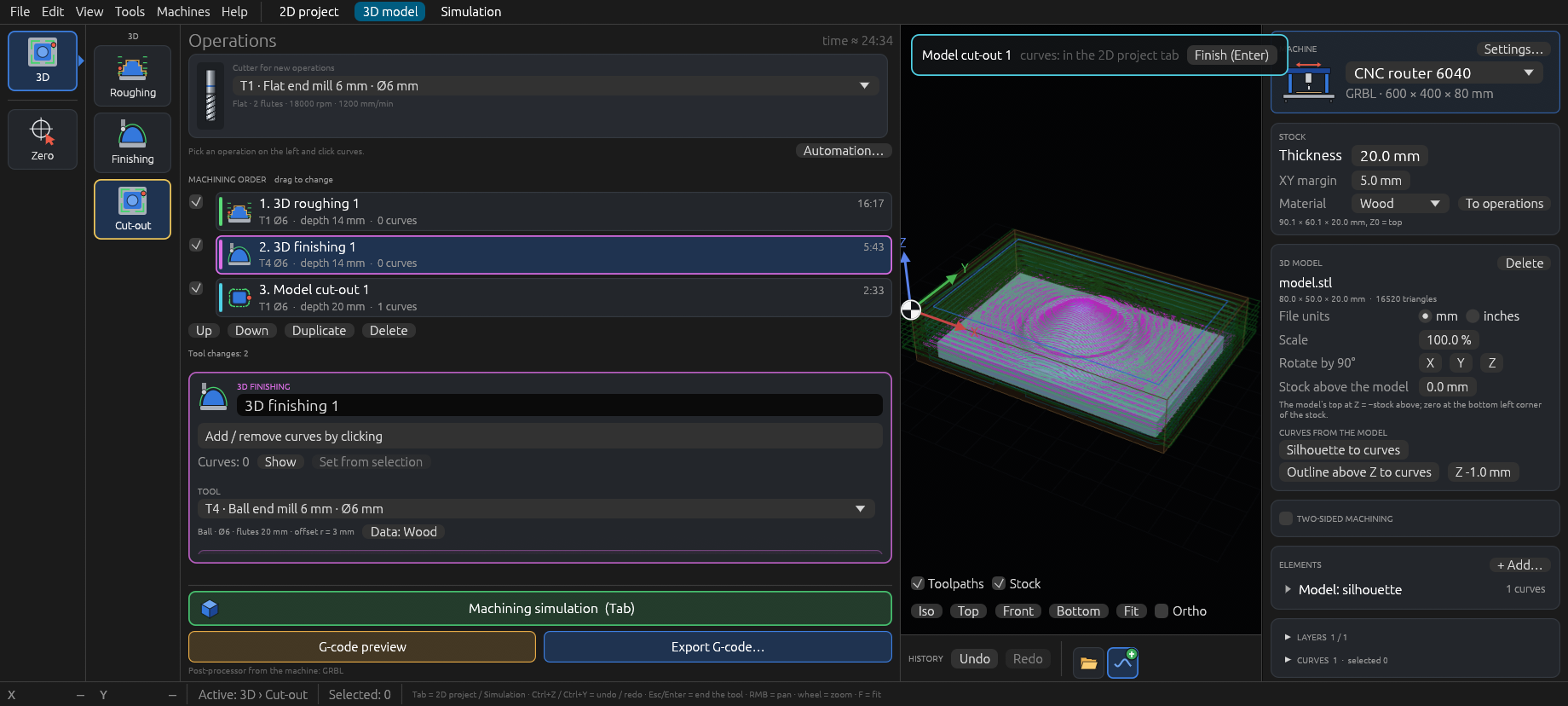
3D machining
- Open an STL file: the model sits in the stock (units, scale, 90° rotations, stock left above it) and has its own 3D model tab.
- Roughing in Z levels around the model, with extra levels just above flat areas.
- Finishing with parallel passes, waterlines for steep walls, combined (both in one operation), spiral or radial for domes and rosettes; limited to a slope range if needed; rest finishing only where a bigger cutter could not reach.
- Cut-out along the model silhouette with tabs; the silhouette and the outline at any height also as curves for 2D operations.
- Undercut warning; 3D toolpaths are computed in the background, the window keeps working.
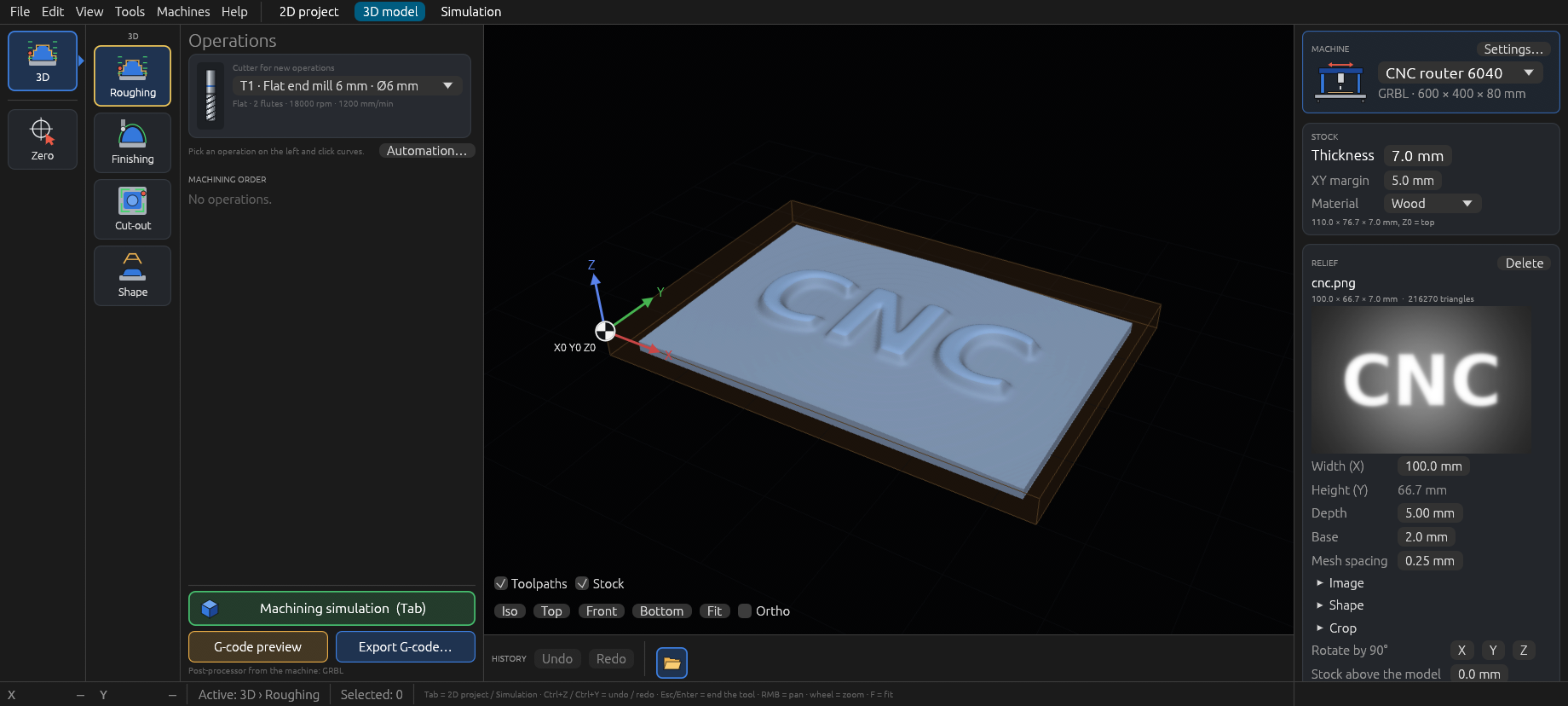
Reliefs from photos, shapes from curves
- Open a JPG, PNG or BMP image and it becomes a relief: bright places higher, dark ones lower. Width, depth and base in millimetres.
- Filters with a live preview: levels, gamma, denoise, smoothing, sharpen, flat background, steps, an oval for portraits, a frame, cropping.
- Shape from curves: select lettering or a logo and it becomes a raised 3D model standing on the curves — flat, rounded, bevelled or domed edges, or recessed.
- Then roughing, finishing and cut-out like any model.
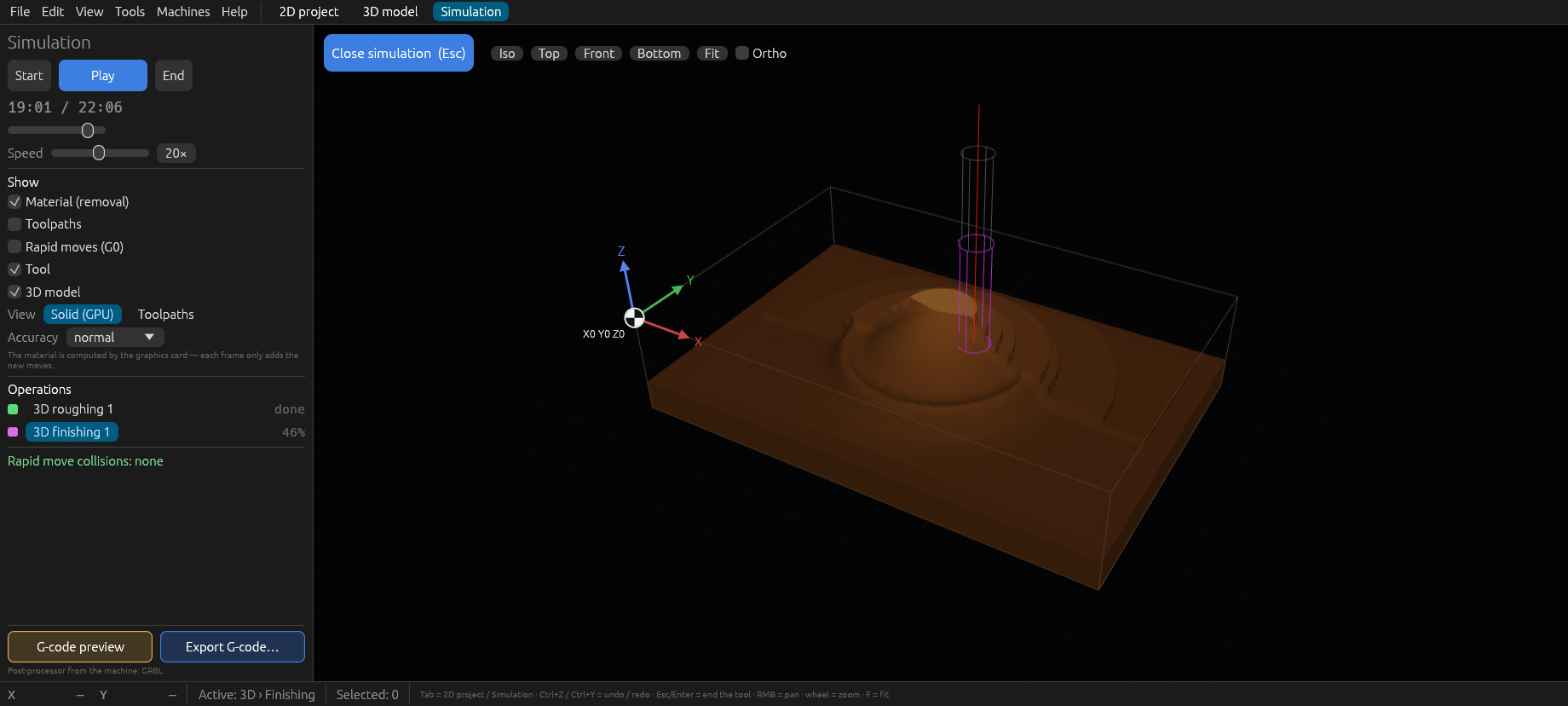
See the job before the machine does
- Solid (GPU): the graphics card removes the material move by move, smooth for programs of any size.
- Solid (CPU) on weak graphics: an exact solid computed by the processor.
- Toolpaths: the target model with the layer being cut in yellow, instant at any size.
- Play, pause, seek, jump to an operation; rapid moves into the material are checked for the whole program.
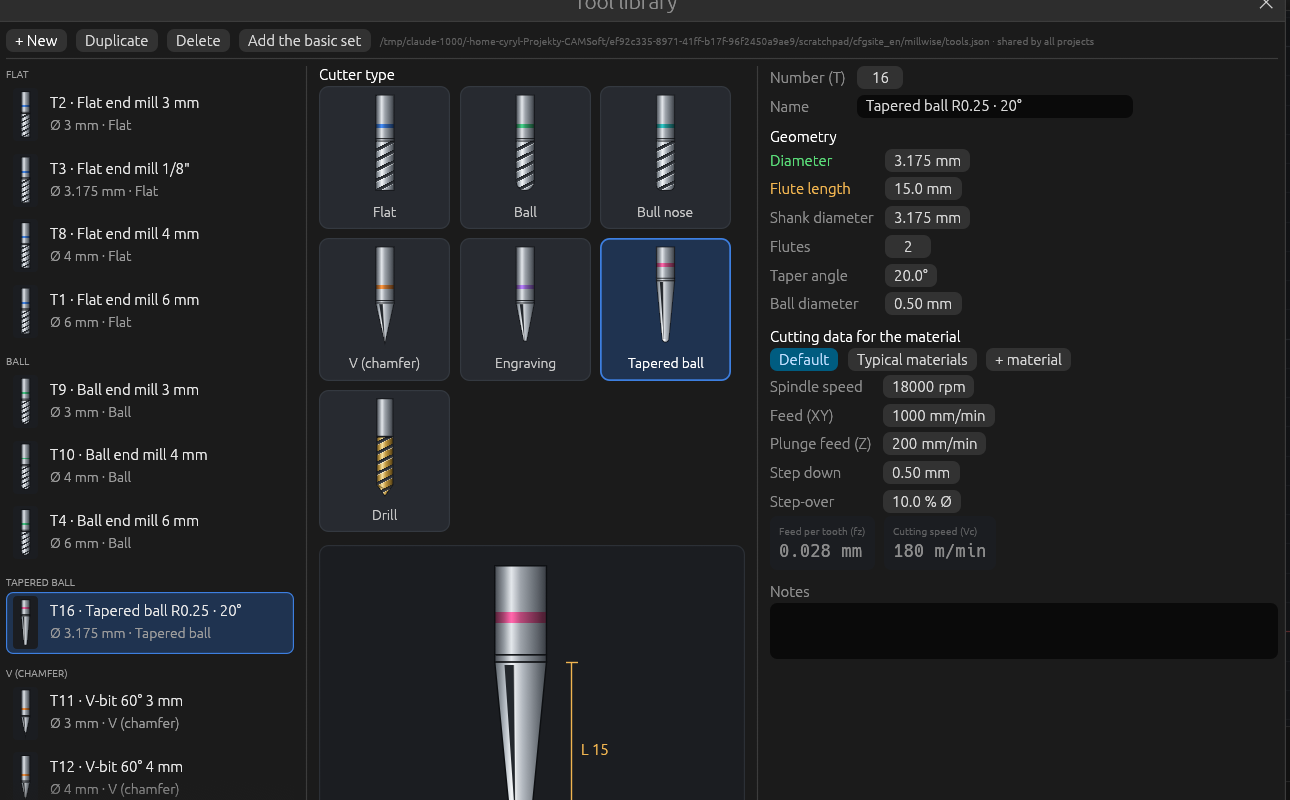
A tool library shared by all projects
- Flat, ball, tapered ball, bull-nose, V, engraving cutters and drills, each with a drawing and its sizes.
- Cutting data per material (wood, MDF, aluminium, acrylic): pick the material of the stock and the feeds follow.
- A basic set of flat, ball and V cutters and drills in 3, 4 and 6 mm to start with.
- Projects keep copies of the tools they use, so they open the same on another computer.
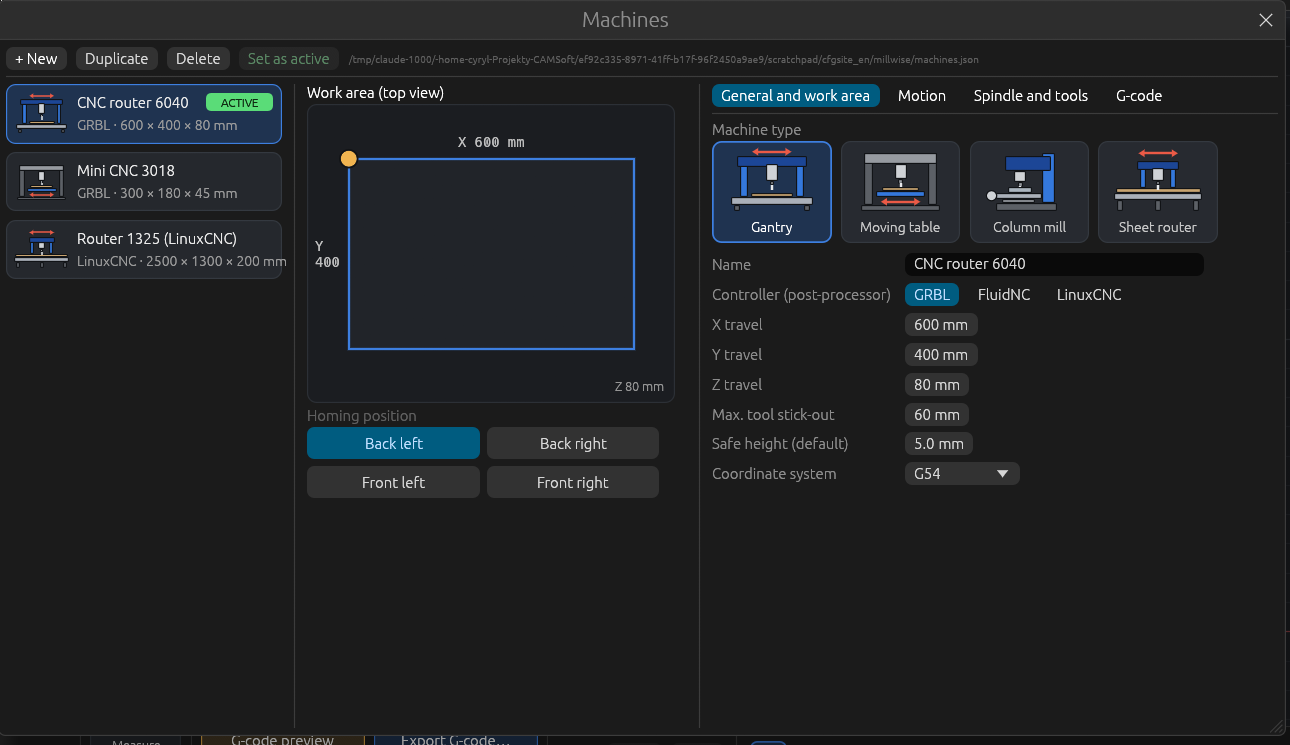
Your machines, your G-code
- Work area, homing corner, feed and rapid limits, spindle range and spin-up time, tool change (pause, M6 or one file per tool), coolant, probe.
- Your own program start and end, line numbers, decimals, G2/G3 arcs or lines.
- Every operation is checked against the machine: work area, depth, feeds.
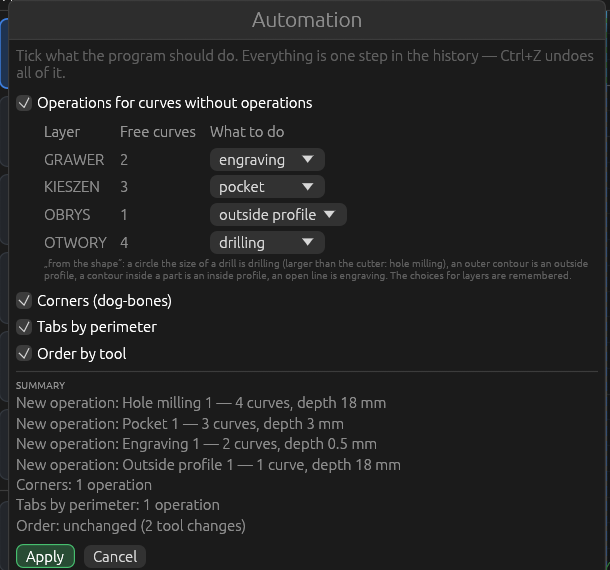
Less clicking
- Automation: operations for all free curves by layer, corners, tabs by perimeter and order by tool in one step.
- Two-sided machining with dowel pin holes and a mirrored side B in its own G-code file.
- Move, rotate, mirror, scale, align, array, cut, copy and paste; undo and redo with a history bar.
- Several DXF files, models and projects in one project; everything is kept in one
.millwisefile.
Download
Free, no account, nothing to install. The latest release has an AppImage for Linux:
Linux x86_64
Millwise-…-x86_64.AppImage
Runs on Debian 12 / 13, Ubuntu 22.04 or newer and other distributions of that age. Make it executable and run it.
Windows, macOS
Not planned for now: Millwise is made for Linux on purpose.
chmod +x Millwise-*-x86_64.AppImage
./Millwise-*-x86_64.AppImage
Questions
Which machines does Millwise work with?
3-axis CNC routers and mills with GRBL, FluidNC (GRBL-compatible G-code) or LinuxCNC. The G-code was tried first on a router with a FluidNC controller.
Which files can it open?
DXF drawings (lines, arcs, circles, polylines, splines, ellipses, blocks), STL models (binary and text), photos and pictures (JPG, PNG, BMP — as reliefs) and its own .millwise projects. Several DXF files and projects can be added to one project; a project has one 3D model.
Is it really free?
Yes: free software under the GPL-3.0 licence, no account, no ads, no limits. The source code is on GitHub.
Does it send anything over the internet?
No. Millwise works offline and sends nothing anywhere.
The window does not open, or it is very slow.
Millwise picks OpenGL by itself on NVIDIA cards and when the default graphics fail. If the window still does not open, start it with --gl. On a weak graphics card turn off View → Material simulation on the graphics card (GPU).
Is Millwise in my language?
English and Polish. It follows the language of your system; change it in View → Język / Language.
Status
Millwise 0.8 is an early test version. It already does 2D and 3D machining, but it changes every day and has not been tested enough on real machines. Planned next: engraving on 3D surfaces, a warning when the tool holder would rub the material, pencil and rest roughing, nesting of 2D parts on the sheet. See the changes and the to-do list (in Polish).
Help and feedback
Found a problem or have an idea? Open an issue, in English or Polish. Testing with your machine and telling how it went is the best help at this stage.